
Deku
A Git client that feels like a Mac app.
Download for macOS · v0.2.39Requires macOS 15+ · Apple Silicon · Signed and notarized
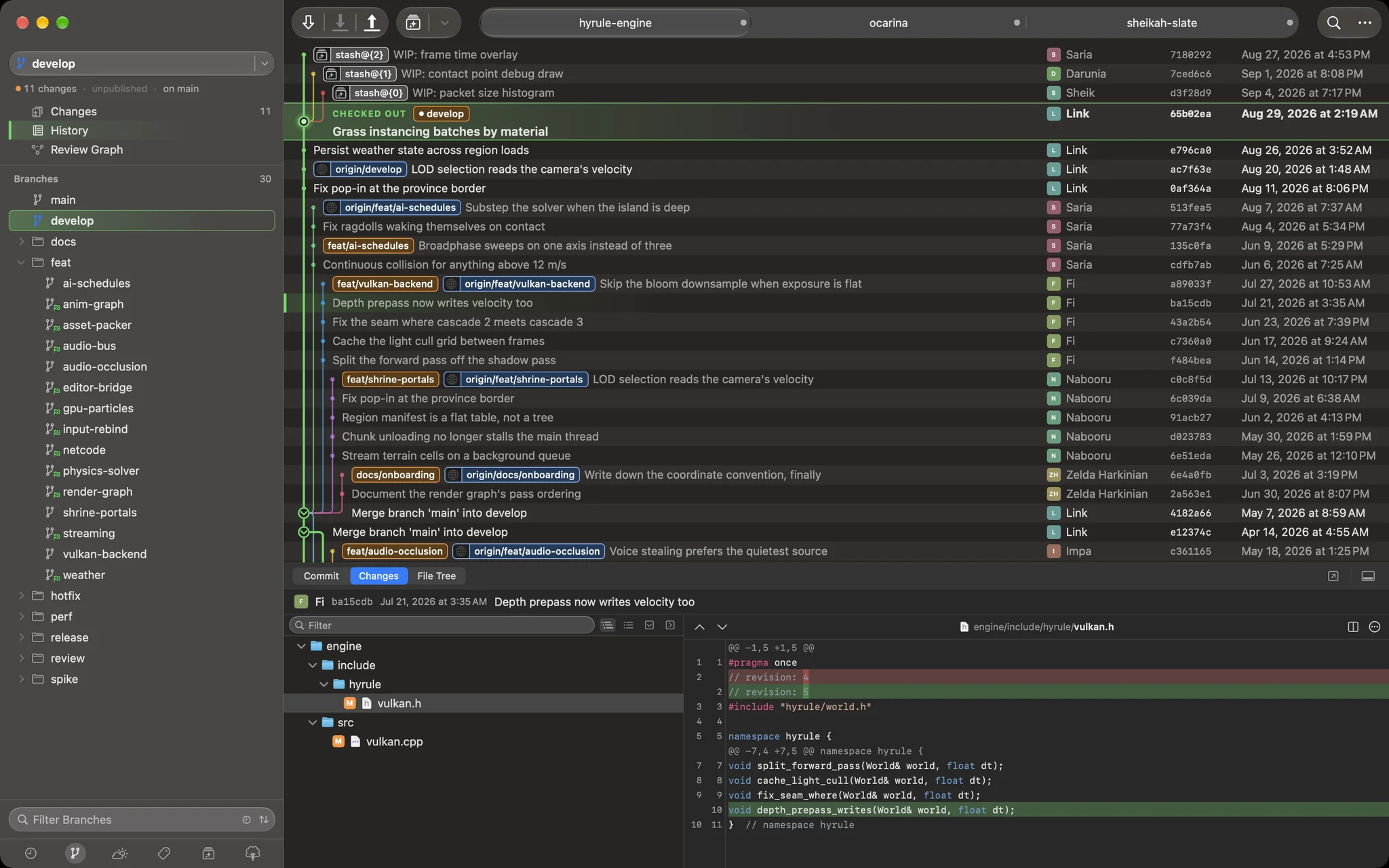
A real Mac app
System fonts, system controls, system density, full dark mode. No web view, no Electron, no cross-platform compromise.
A graph that keeps up
Thousands of commits and still smooth. Branch lanes hold their colour, and merges, tags and refs sit on the row they belong to.
Know where you are
The branch you are on is banded in the history and outlined in the sidebar, in a colour you pick. Selection is a separate mark, so moving around never loses the thread.
Review stacks, not just branches
The Review Graph maps merge requests and what each one waits on. Change one, and Push rebuilds exactly the ones downstream of it.
Rewrite history on purpose
Interactive rebase draws the history you are about to make — squashes folded in, drops struck out — before a single commit moves.
Stage the way you think
Stage a file, a hunk or a single line. Stashes, conflicts and untracked files all live in one Changes view.
Nothing lost in translation
Fetches, pushes and credential prompts show you what git actually said — colour, progress and the real error text.
Diffs you can read
Syntax highlighting, context you can expand a few lines at a time, and a side-by-side view when you need both revisions at once.
Every repo in one window
Tabs for your repositories, restored across launches. Drag a branch onto another to merge, rebase or check out.
New · Stacked review, end to end
One worked example, start to finish: eight merge requests for a shrine-portal feature, a late fix in the middle of the stack, and a conflict on the way in.
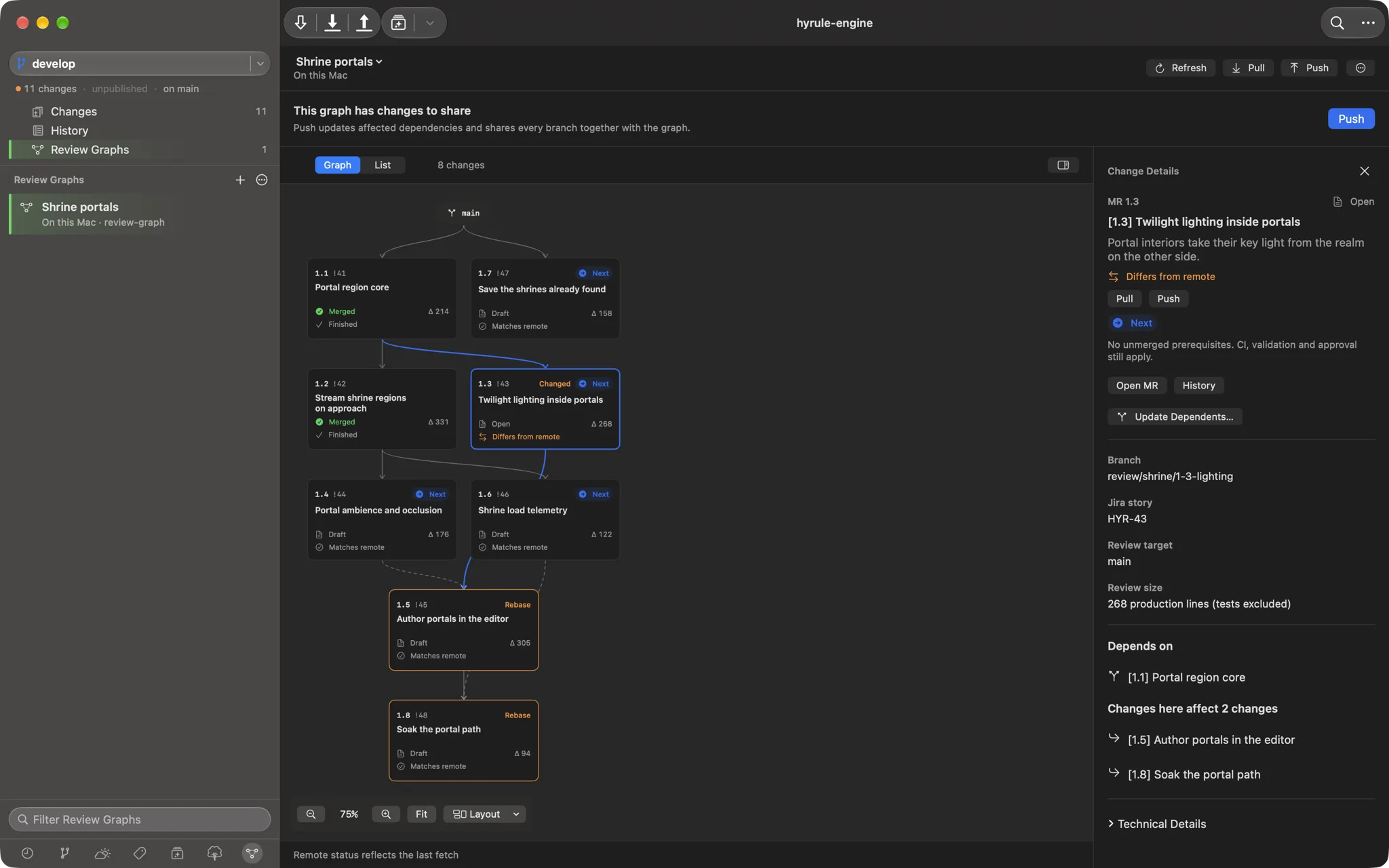
One late fix, and exactly what it touches
Midna adds Clamp twilight bloom at the portal edge to MR 1.3. Deku marks 1.3 Changed, then follows both kinds of dependency down the graph — solid lines for the Git base a branch was cut from, dashed lines for merges it waits on — and marks 1.5 and 1.8 Rebase. The audio, telemetry and save-format MRs beside it are left alone, byte for byte. The inspector says the same thing in words: changes here affect 2 changes.
- CompareEvery branch against its remote by ancestry — incoming, outgoing, equal or diverged. Timestamps never pick a winner.
- RebuildOnly 1.5 and 1.8, in dependency order, on the main the graph was saved against — in a separate worktree, so your checkout never moves.
- VerifyThe whole graph merged together must match an independently built reference tree before any local branch is touched.
- PublishAll branches in one atomic push with exact leases, then the graph itself, so a teammate's Pull gets the same shape.
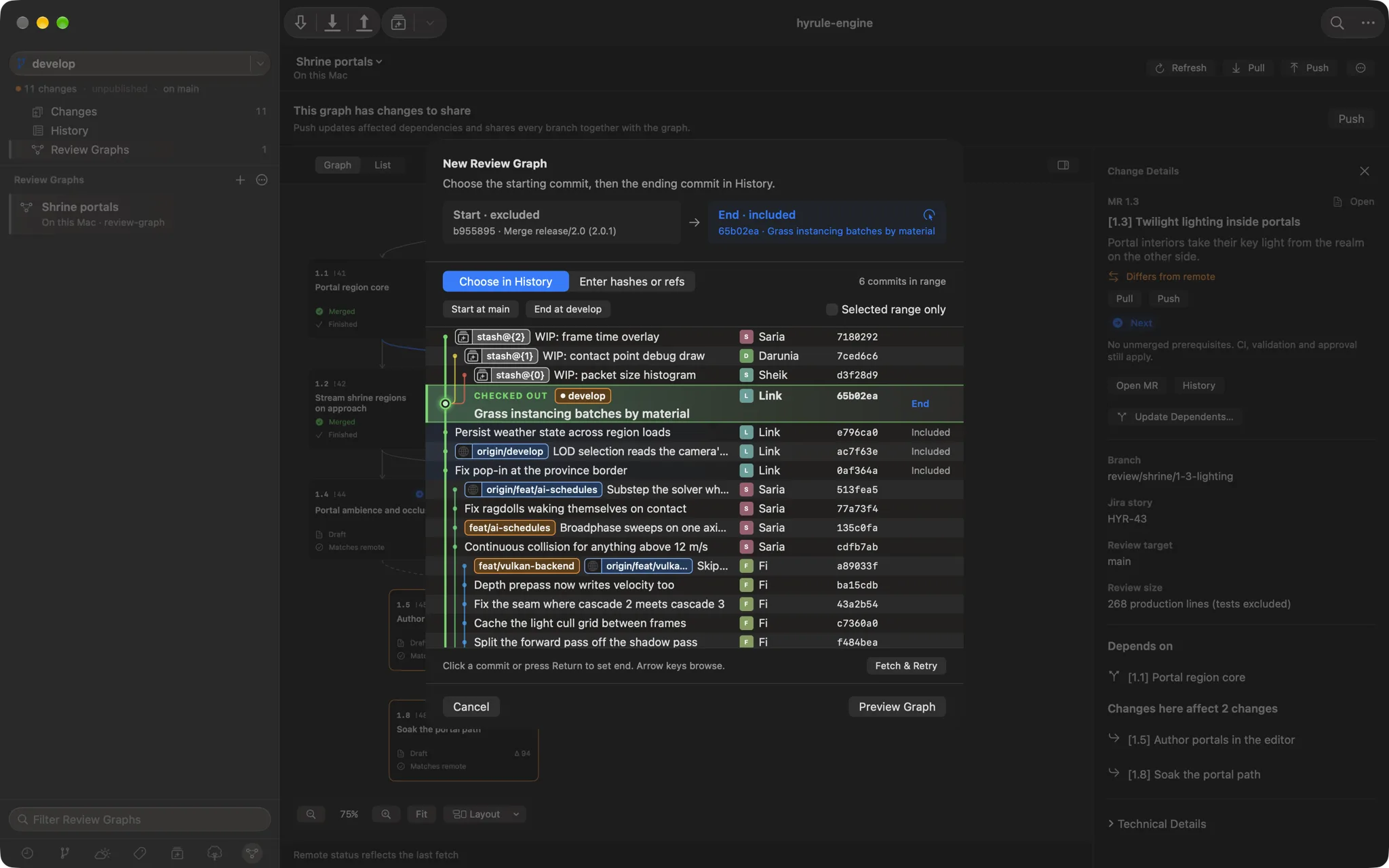
Start a graph from the history you already have
Pick where the work starts and where it ends, straight from the commit graph, or type any two refs. Deku groups straight runs of commits at every fork and join, keeps every merge parent, and pins the range so a branch moving later shows up as a change rather than silently redrawing the graph. For one branch that grew too big, Split Branch with Assistant sets a line budget per MR — 300 by default, tests and lockfiles excluded — and writes the prompt that turns it into a reviewable stack.
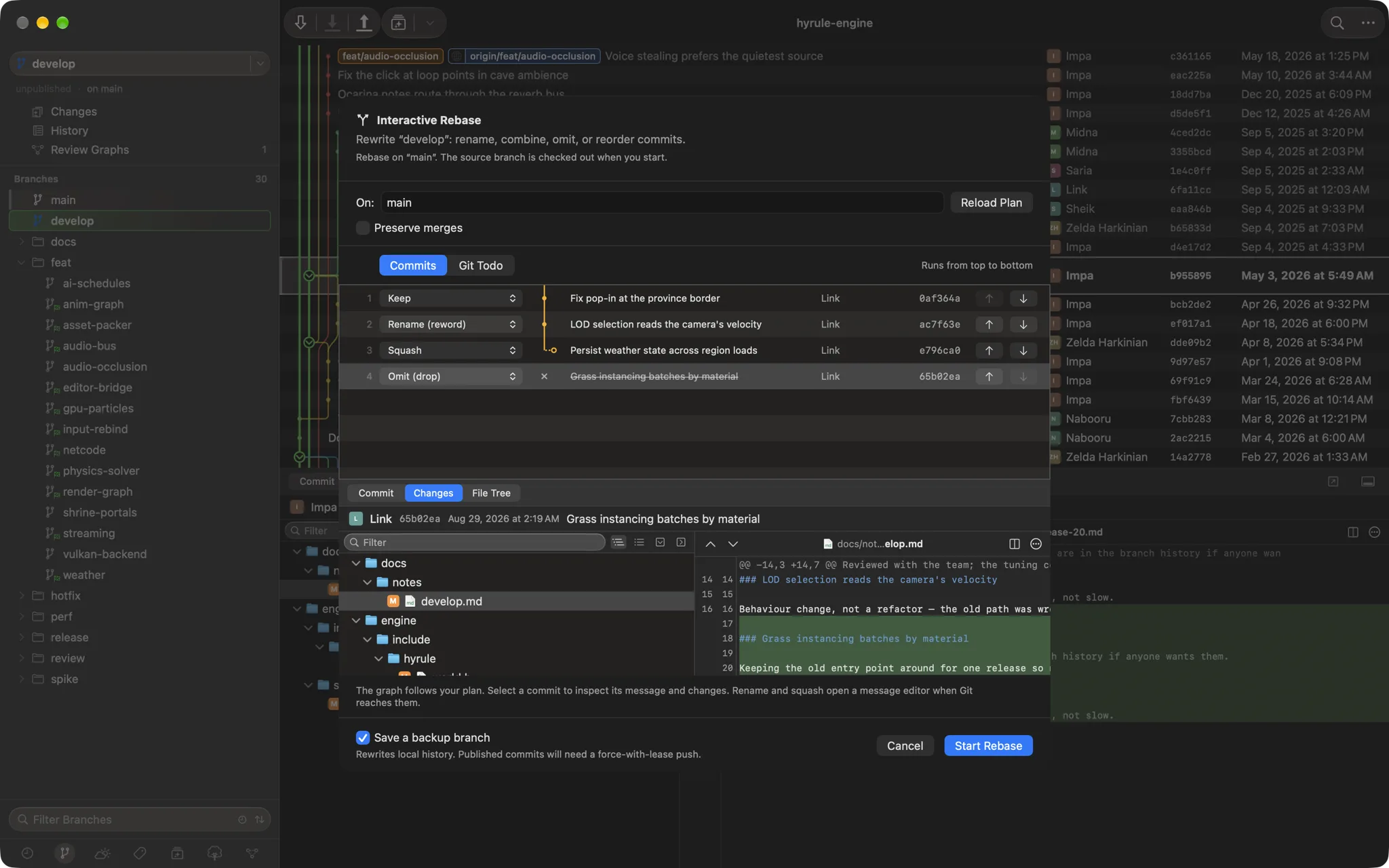
Interactive rebase, with the result drawn first
Keep one commit, rename the next, squash the third into it and drop the fourth. The plan graph beside the list redraws as you choose, so the squash visibly folds upward and the dropped commit is struck out before anything runs. Select any row to read its full diff, switch to Git Todo to see the exact file git will be handed, and leave Save a backup branch on so the old history is one checkout away.
When two good changes collide
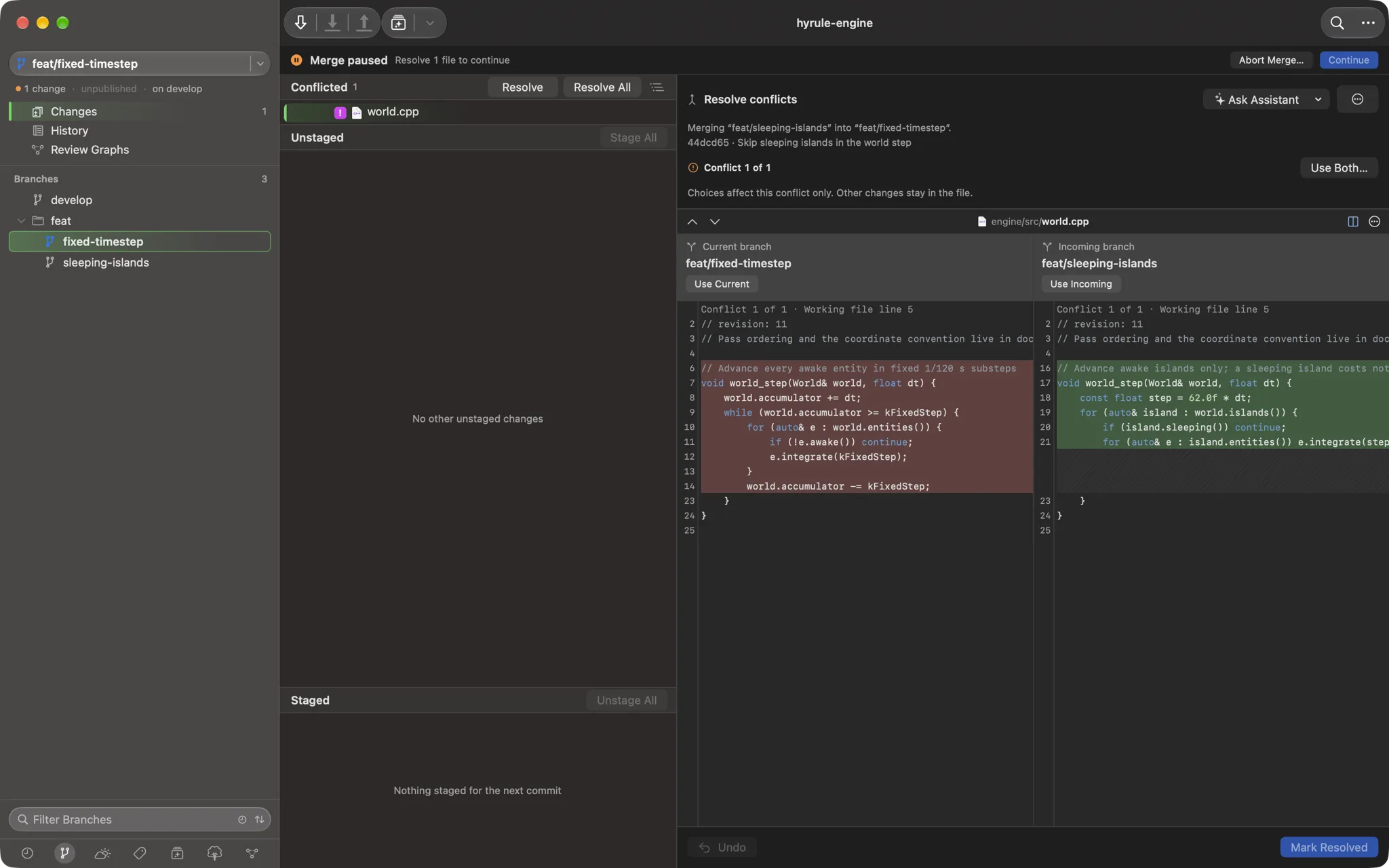
One branch moves the world step onto a fixed 120 Hz clock; another teaches the same function to skip sleeping islands. Neither side is wrong, so neither button alone is right. Deku shows both intents side by side and resolves one conflict at a time — Use Current, Use Incoming, Use Both, or edit by hand — without touching the rest of the file. Ask Assistant copies the file and the merge's context and opens Claude, Codex or Cursor, and a banner keeps the paused merge in view until you Continue or abort.
A look around
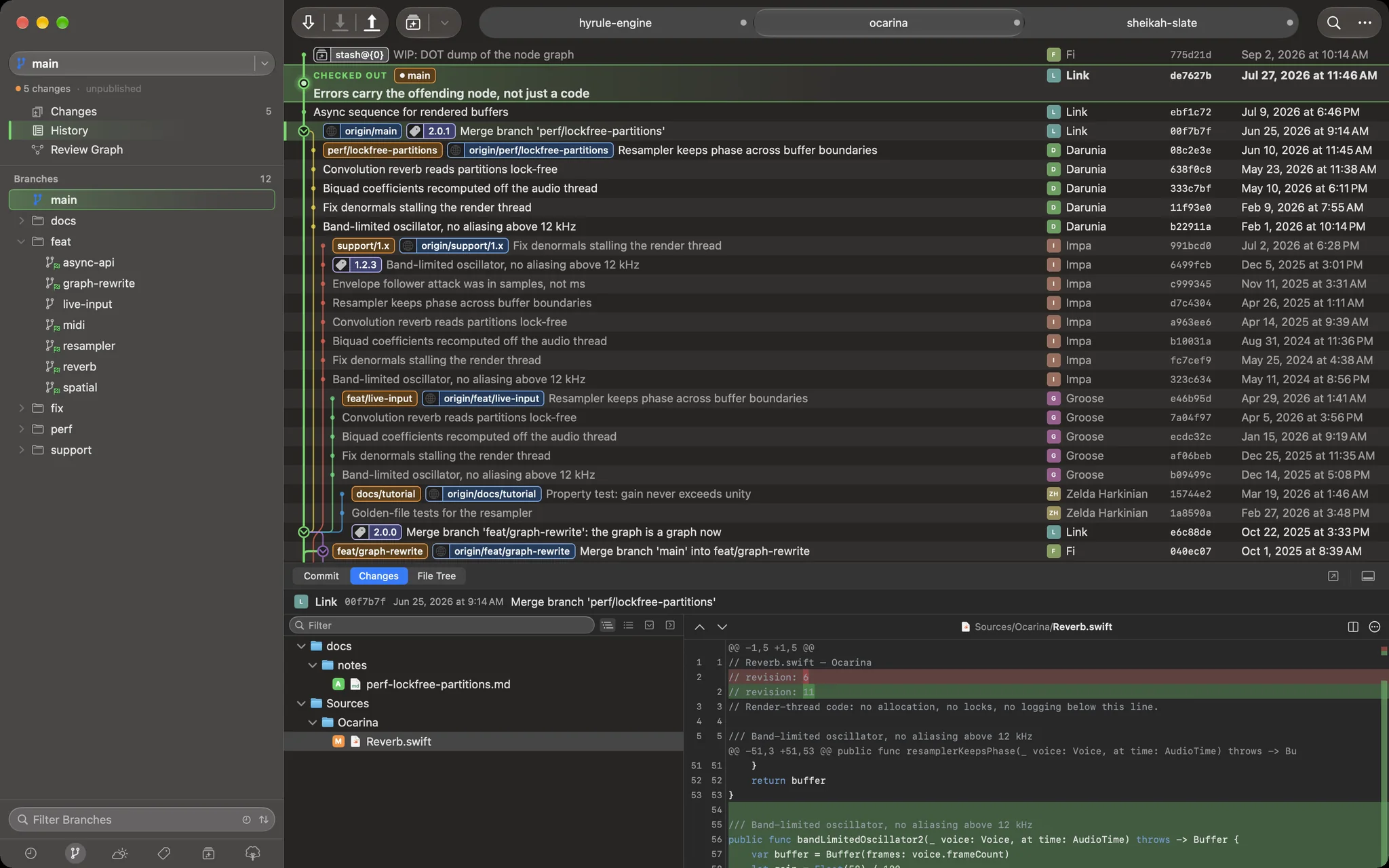
Follow a branch through a crowd
A lane keeps its colour for the life of a branch, so a maintenance line that has run
beside main for two years stays one thread instead of scattering across the
window. Releases, hotfixes and the merges back sit on the row they happened on, next to
who did it and when.
Commit what you meant to commit
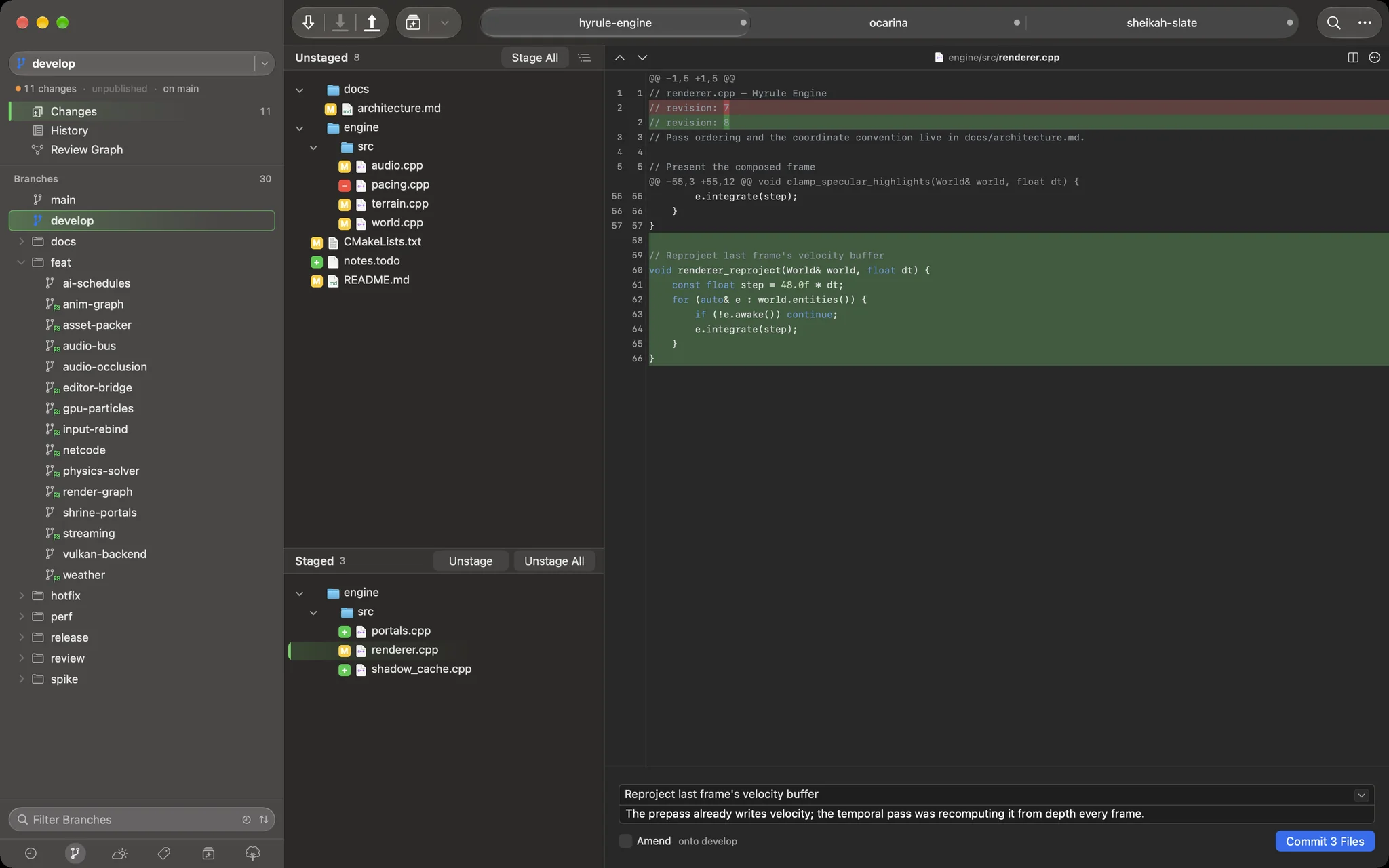
Unstaged above, staged below, and the diff for whichever file you are on beside them. Take the whole file, one hunk, or a single line — and write the message while the change is still in front of you, so nothing rides along by accident.
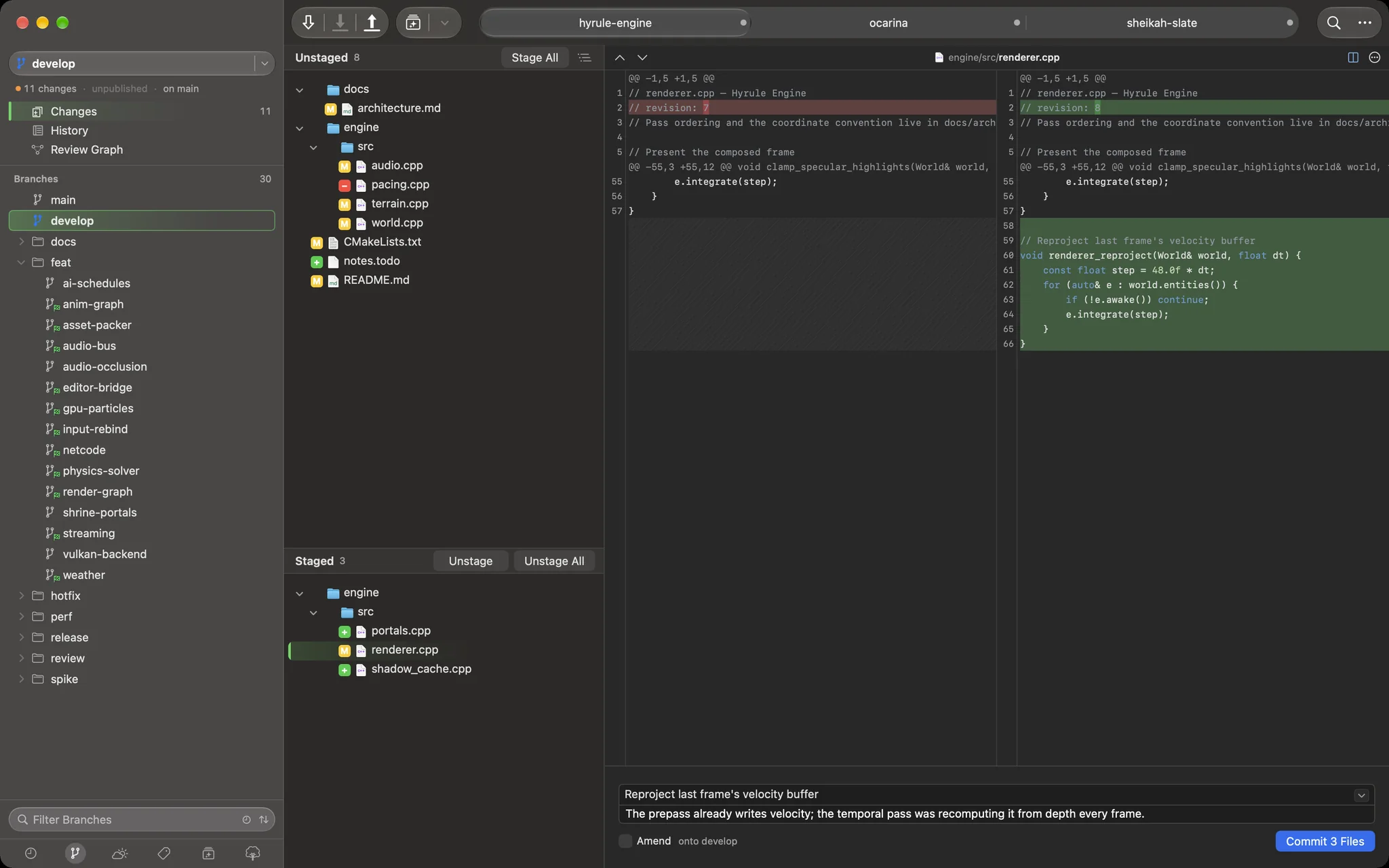
Unified or side-by-side, one keystroke apart
Read a change as one column or two, whichever suits the screen you are on. Neither view gives anything up: the same highlighting, the same word-level marks inside a changed line, the same context to pull in when you need more of it.
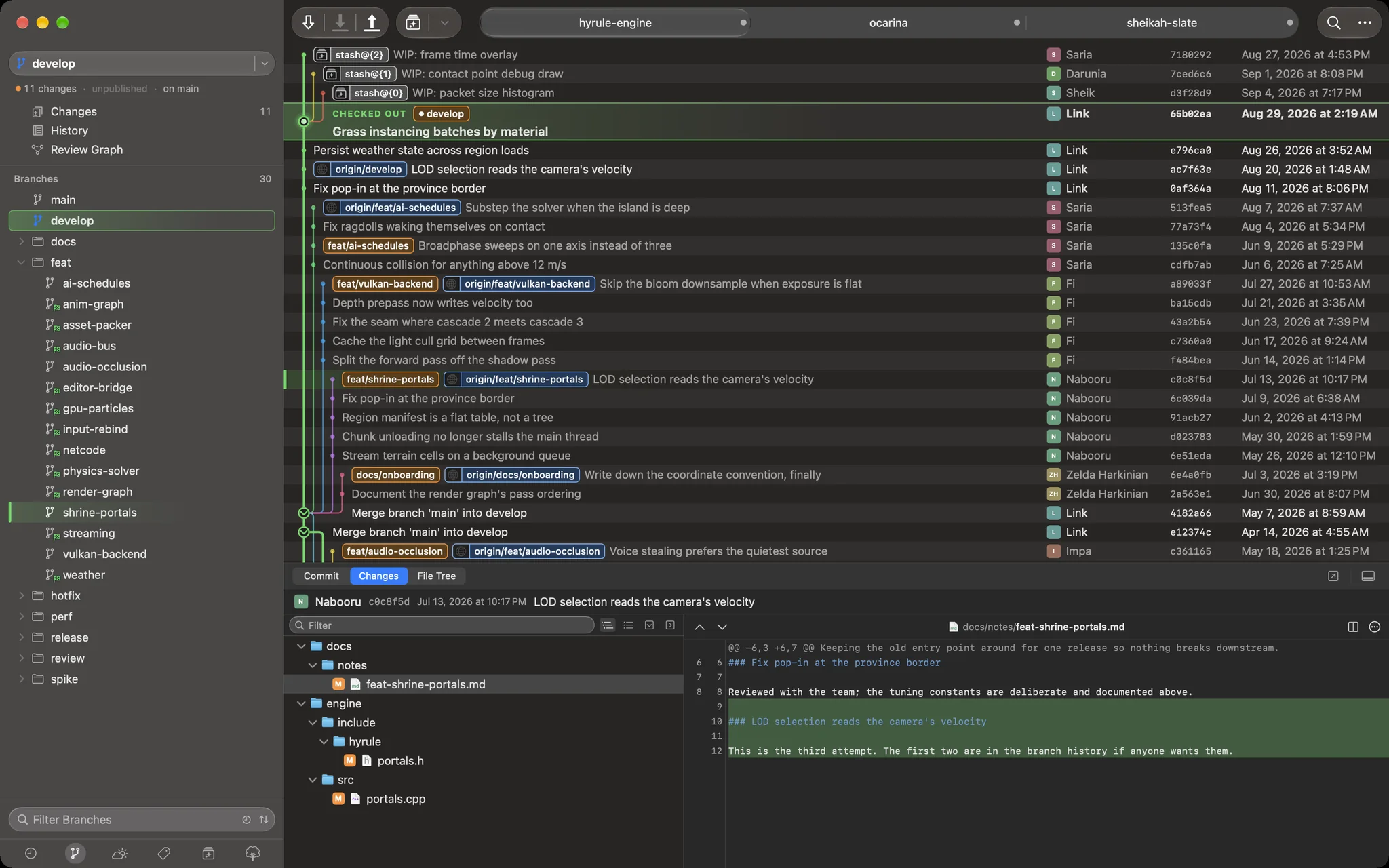
Thirty branches, seven folders
Branches sharing a prefix collapse into folders and sort by when you last touched them, so a busy repository stays a short list. Stashes, tags, remotes, submodules and worktrees are each one click away, and one filter field narrows whichever you are looking at.
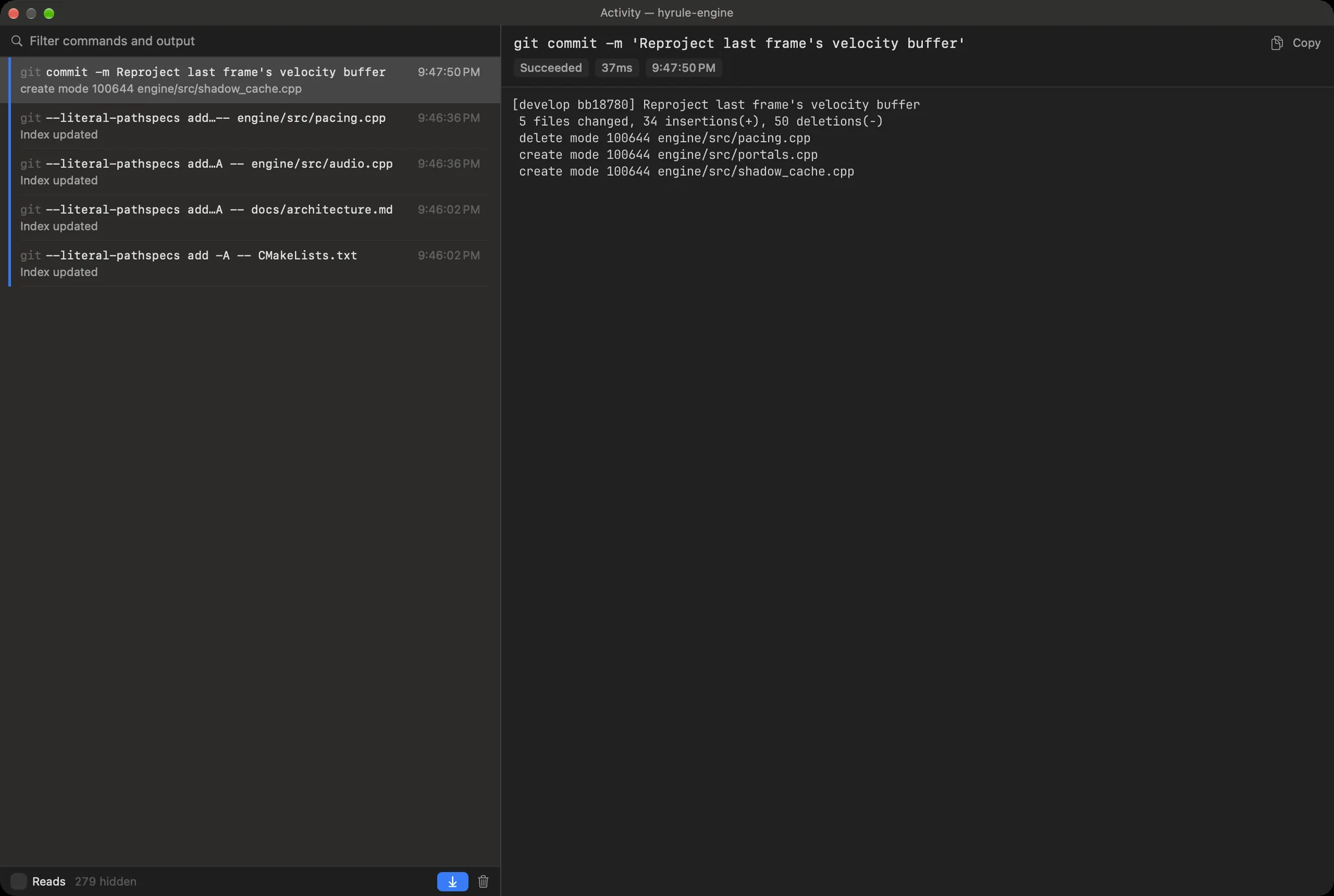
See exactly what git said
Every fetch, push, commit and stash is listed with how long it took and whether it worked, and picking one shows git's own output the way your shell would have printed it. When something fails you get the real message, not a friendly paraphrase of it.
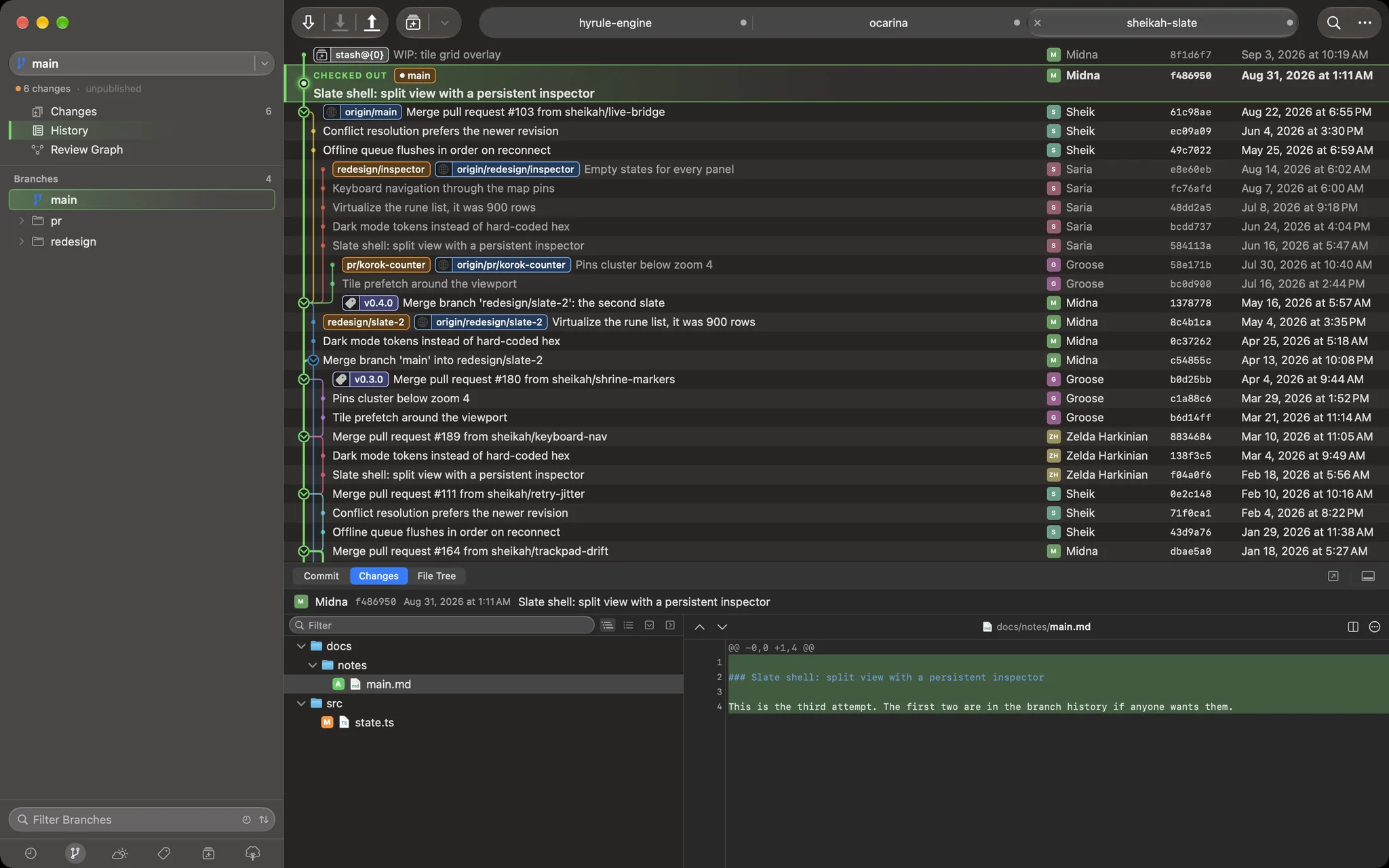
One window, all your repositories
Keep everything you are working on in a single window and switch with a click. Drag to reorder, drag one out to give it a window of its own, and it all comes back at the next launch — each tab on the branch and the view you left it on.
Download Deku
A signed, notarized build. No installer, no login, no account.
Download for macOS · v0.2.39- Requires
- macOS 15 Sequoia or later
- Architecture
- Apple silicon
- Signing
- Developer ID, notarized by Apple
- Price
- Free while it is in early days
- Privacy
- One anonymous launch ping — version, macOS and chip. No code, repositories or names.
Installing
- Unzip the download — Safari does it for you.
- Drag Deku.app into Applications.
- Open it. Because the build is notarized, Gatekeeper lets it through the first time; there is no right-click-Open dance.
Updating
Download the new build and replace the old app. Deku keeps its settings and your open
tabs in ~/Library, so an update comes back to the same desk you left.
If something is wrong
Deku never rewrites history you did not ask it to, but it is early software and it is my side project. Keep your backups.